Learning center
The learning center starts with words, phrases, and sentences you save while reading. Understand them in their original context, use them in your own words, and revisit them later.
What each tab saves
| Tab | Source | Retention |
|---|---|---|
| Words & sentences | Save icon in a translation card, Save original below an explanation, or Save sentence beside a highlighted sentence | Until you delete it |
| Reading history | Questions and answers from reading, grammar, usage and practice; continue a conversation | 30 days |
| Study notes | Save study note below an answer, or notes and learning preferences you add yourself | Until you delete it |
After saving, View words & sentences or View study notes opens the matching tab. Saving the original and saving an explanation as a note are separate actions.
You can save and manage study notes at any time. Use study notes in answers is off by default. Enabling it in the selection translation AI settings sends relevant notes and preferences with your question to the selected AI service. Turning it off keeps existing notes and still allows saving new ones.
Save something from a page
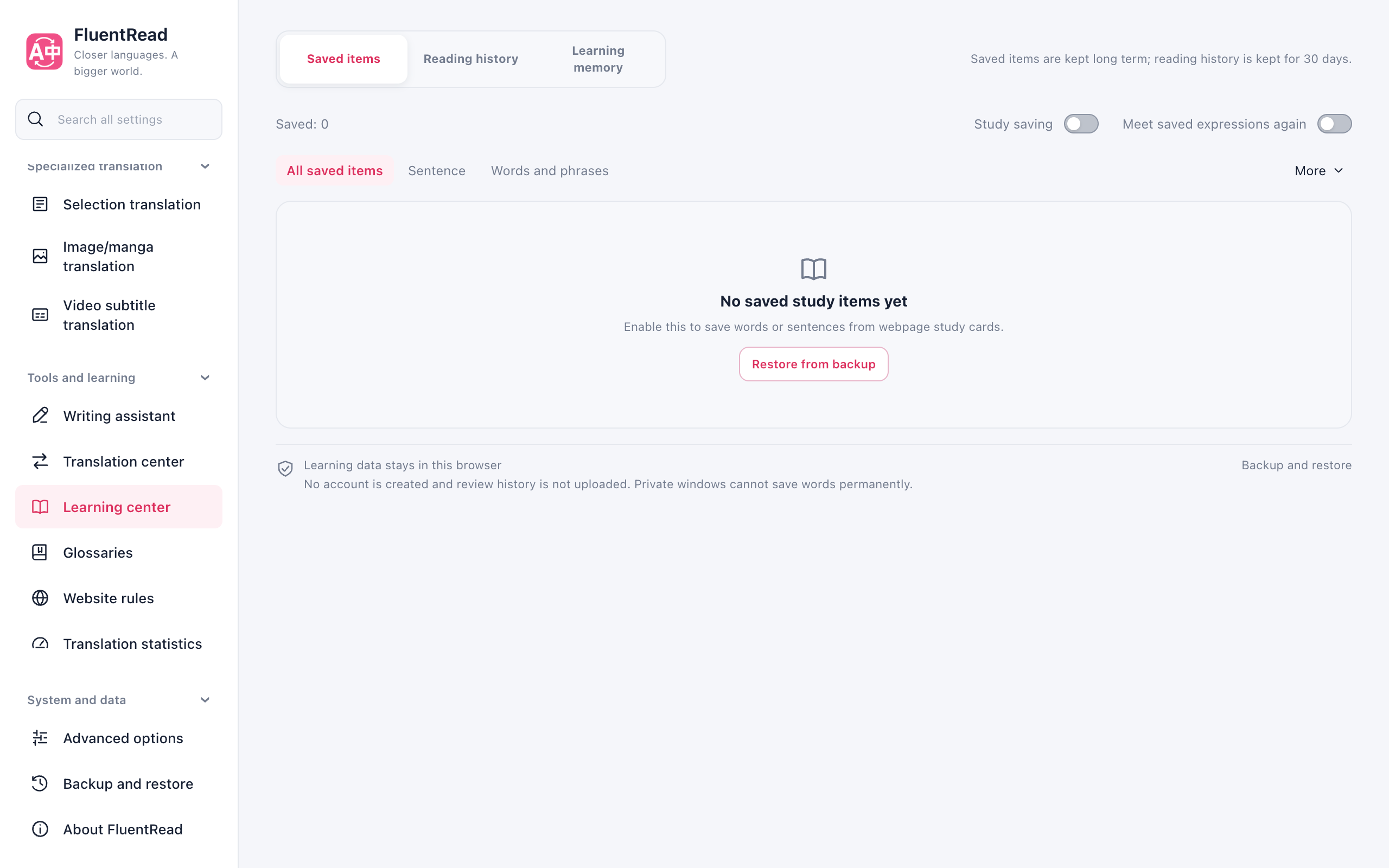
- Open Learning center → Words & sentences and enable saving in Manage collection. You can also enable it directly from the empty list.
- Save an expression from a selection or reading card. Words, phrases, and sentences in multiple languages are supported.
- The expression keeps available reading context. Saving it again can add context to the existing entry.
Meet saved expressions on a new page
Enable Meet saved expressions again in Manage collection under Words & sentences. This independent option is off by default. Saved expressions in nearby reading text receive a subtle dotted underline. Click an expression or the bottom-right Saved expressions button to compare its current sentence with the sentence you saved. The card can browse nearby matches, and its controls support keyboard access.
Words match at word boundaries; phrases can span inline emphasis. Case, whitespace, curly apostrophes, and common hyphen differences are handled. Marks update with scrolling and changing text. Links, controls, editors, code, formulas, hidden content, and FluentRead translations are excluded. Original text, selections, and page interactions remain intact.
Opening a card reads only that saved entry and does not call AI. Explain this usage uses the reading card’s service, model, context scope, and permitted study-note reference settings. It sends the expression and current sentence, without the old saved reference or source URL. Enable sentence context before requesting an explanation. A saved definition is never presented as the meaning of the new sentence. Retry failures or stop while retaining generated text.
Use Marking options to pause this page visit or turn off marks on all pages. Re-enable them in the learning center. A visit pause lasts until reload or the feature is enabled again. Seeing an expression or reading its explanation does not change saving counts, mastery, or review schedules.
This browser-extension feature supports ordinary pages and open Shadow DOM. It is unavailable in private windows and userscripts. Older browsers without text-range painting can still use the nearby-expression button. Pausing FluentRead or disabling it on the current site removes both marks and cards.
Listen to and save a highlighted sentence
Enable Bilingual sentence highlighting in the desktop extension. Hover over either the original or its translation. Highlighting appears immediately; after the pointer rests for about 0.8 seconds, a small ⋯ Sentence actions button appears. Click it to expand playback, saving, copying, and the collection link. Brief passes do not display the controls.
Playback and copying follow the hovered side: original text uses its source language, and translated text uses the target language. Saving always keeps both texts and available context. Moving into the controls retains the current side. Leaving, scrolling, restoring the original, disabling highlighting, or pressing Esc dismisses them. Saved status is only queried when you open the controls. No speech or AI request starts automatically. Private windows do not save sentences; this entry is unavailable in userscripts and embedded pages.
Learn its usage
Each entry has a visible learning button: Listen & understand for sentences and Learn usage for words and phrases. Opening the study page does not call AI or change mastery.
Use the search box and entry type selector to find saved items. Filters contains mastery and sorting options. Clear filters restores the full collection. Saving switches and file actions live in Manage collection. Browser storage details and Backup & restore share one footer across all three tabs.
The original sentence helps you remember where the expression came from. Matching supports expressions in continuous Chinese and Japanese text, plus differences in case, combining accents and whitespace, while preserving the original sentence. Earlier definitions or AI responses remain available to expand. If no useful source sentence was saved, the page says so.
Choose to understand the expression for an AI explanation of meaning, usage, and an example. Then write your own sentence and ask whether it sounds natural. Feedback focuses on meaning and combinations; it does not automatically mark the expression as mastered.
Learning uses the reading card’s service, model, and allowed source scope. The reading card must be enabled. Only a deliberate action sends the current expression, your sentence, and allowed context; it does not send the entire collection or source URL.
Revisit it later
Revisit it later
The primary Review button starts a recall session, with up to 20 due entries, regardless of list filters. It brings back due expressions before adding a few new ones. With a useful source sentence, it asks you to recall the missing expression. Otherwise, it shows the expression so you can recall its meaning.
Check your answer against the saved reference, then choose whether you remembered it. Reading an explanation alone does not increase mastery.
Keep your collection safe
Keep your collection safe
Collections and review records stay in this browser. Turning off saving or clearing the translation cache does not delete them. Private windows do not offer persistent collections.
Use Backup & restore to move your data. The learning center also offers Anki export, with a choice about including source sentences and source information.
Collection management actions stay busy while awaiting confirmation and become available again after cancellation. If a confirmation or export response arrives after you switch from Saved to another learning-center tab, the closed collection view does not continue the action or start a download. Operations already submitted to the background still finish normally.