
Website reading area
If content is missing or too much is translated, start with the simple checks.
GitHub release notes show translations after each explicit source line break for easy comparison. List items containing several paragraphs are translated paragraph by paragraph.
Discord's server icon rail stays unchanged in both reading-area and all-nodes modes; channel message text remains translatable.
Missing content
- Refresh pages after installing or updating.
- Scroll down: the default mode translates near your reading position.
- For menus and navigation, enable recognition of all nodes in advanced page-recognition settings, then restore and retranslate.
- For text inside an image or chart, try area translation.
In the browser extension, full-page translation also covers Disqus comments on OMG! Ubuntu articles and Markdown tutorial text in Kaggle Notebooks. Scroll down to translate later content.
Translate every time—or leave it alone
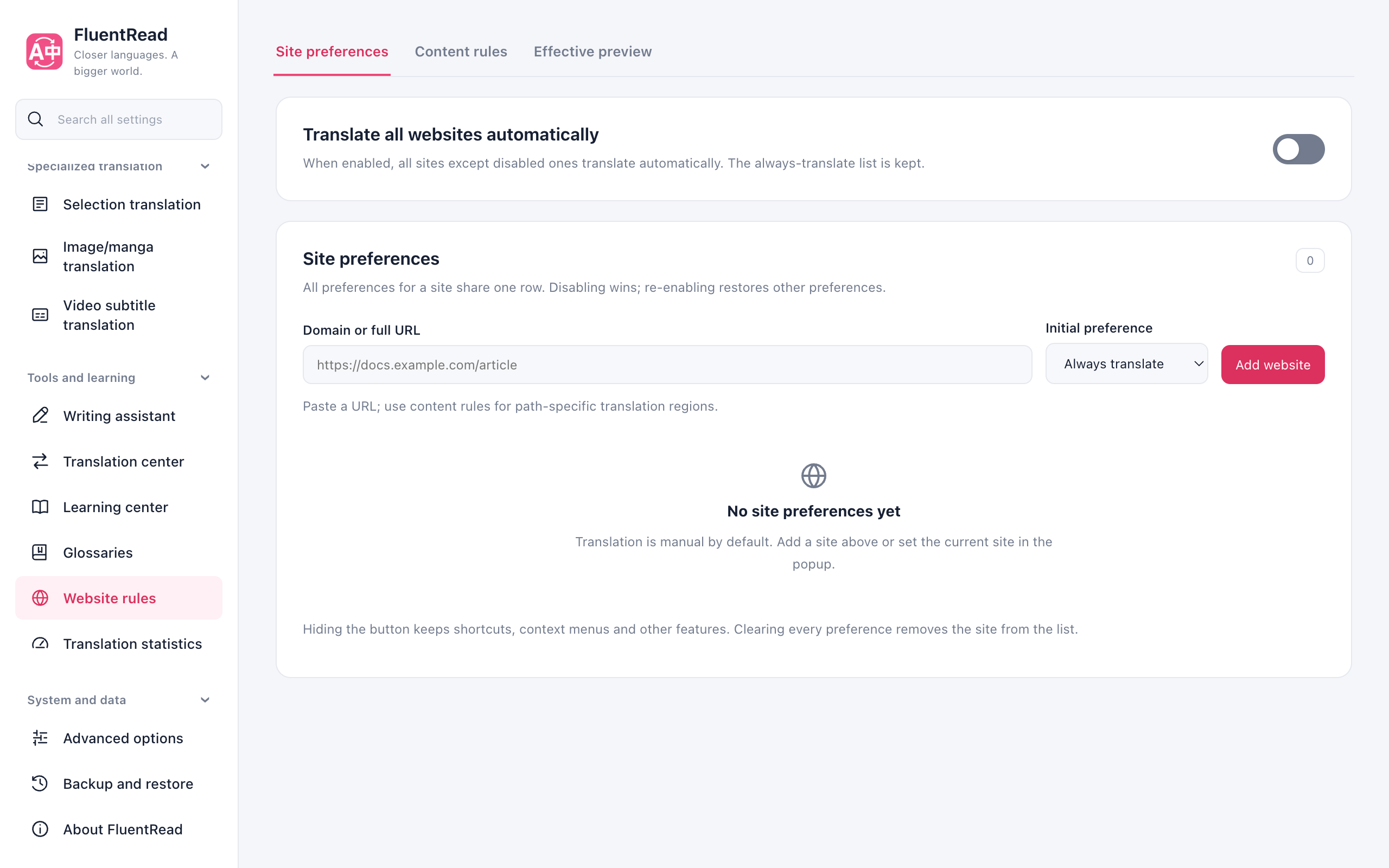
Open System & data → Website rules → Site preferences to manage always-translate, disable-extension, and hide-floating-button preferences in one row per site. Host input is normalized to the root domain and includes its subdomains; paths and ports are not stored.
Disabling the extension takes precedence over automatic translation but retains the other preferences for re-enabling. Hiding the floating button keeps shortcuts and other features available. Global automatic translation applies to every non-disabled site and retains the site list. Removing a site's preferences restores global defaults and can be undone.
Content rules adjust translation regions by host, path, and CSS selectors. Effective preview checks saved preferences, matching rules, and priority without visiting the site; it does not guarantee that the actual page can translate. Confirm the behavior on the real page after saving.
Still wrong?
Still wrong?
Report the public URL, browser version, and a screenshot with private information removed on GitHub Issues. Explain which area should translate and which should stay original.
If you know webpage structure, you can use custom site rules. They are optional; export a backup before editing.
Detailed fields and examples are in the repository reference.