
Adjust a particular website
Most sites need no custom rule. If a site consistently misses content or translates metadata you want left alone, first follow Website reading area.
Open Tools & learning → Website rules. Site preferences, content rules, and the effective preview appear on one continuous page. The top navigation scrolls to each section. Everyday preferences do not require JSON. The visual content-rule editor still requires CSS selectors; you can also report a URL and the area you want adjusted instead of writing a rule.
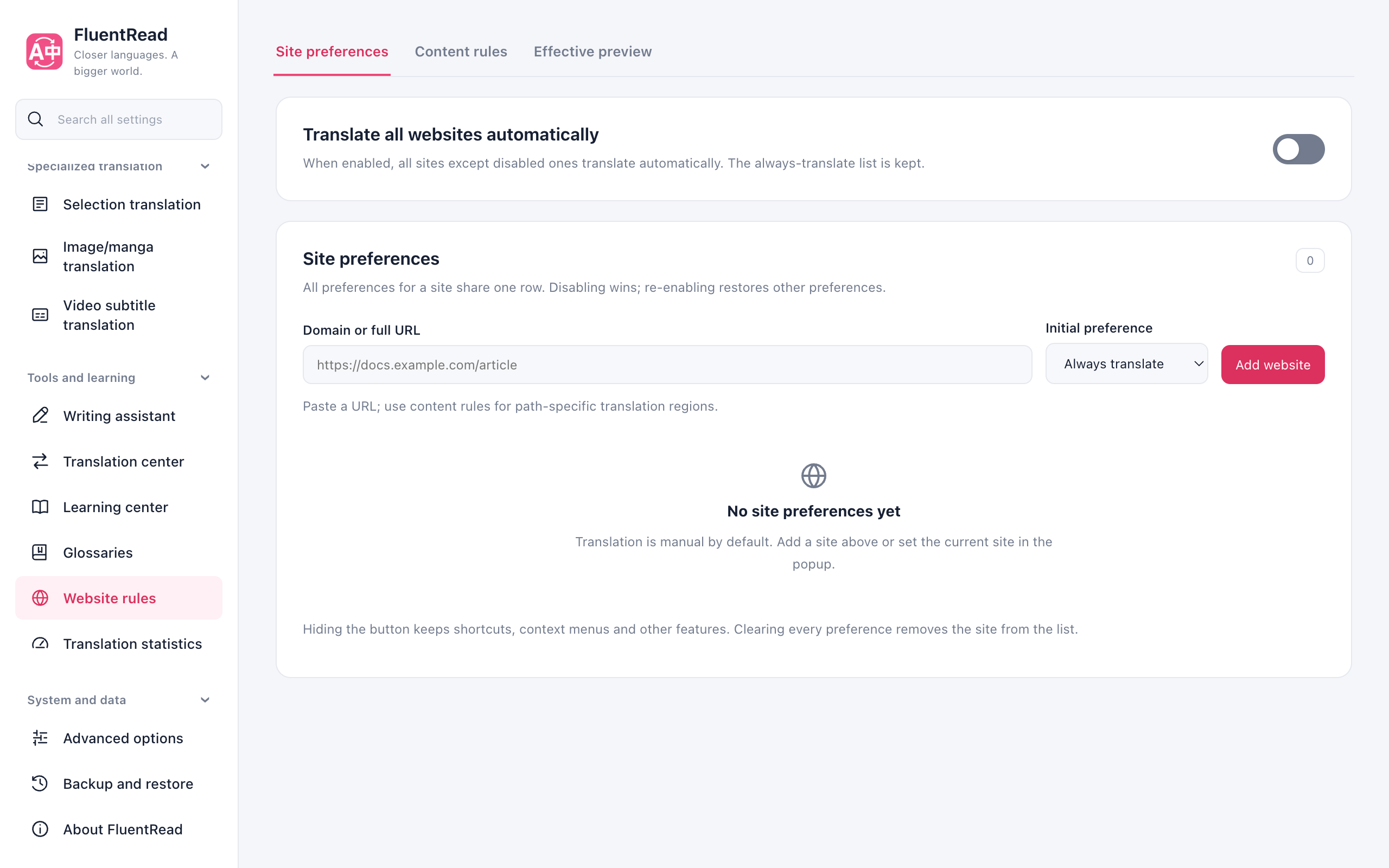
Start with an existing rule
Search content rules by site name, host, or rule ID. Open the details and customize a built-in rule, or create a new rule. Export a backup first.
Use one host, path, or CSS selector per line; commas inside CSS remain intact. Augment adds targets to general recognition; focus limits recognition to declared content. Choose Save and apply to validate and save the visual form. It closes only after saving succeeds; failures retain your entries. A rule ID is generated automatically and can be adjusted under advanced options. Switching categories retains the draft. Unsaved edits request the browser's close/reload warning, but drafts are not saved automatically. Confirming departure still discards them; save or export first.
Expand JSON & backup for import, export, and the advanced JSON editor. JSON supports profiles and every advanced field; edits remain in the draft until you choose Save and apply above. Import merges by default: matching IDs replace whole rules, while other rules remain. Conflicting profile definitions are rejected. Whole-draft replacement is optional and can be undone before saving. Removing a custom override and saving restores its built-in version; the disabled ID state remains.
If another page updates saved rules, your draft is retained and stale saves are blocked. Export the draft, restore the latest configuration, and merge your changes again.
A rule mainly describes the website it applies to, where its content is, and what should stay original. Incorrect rules can translate too much or too little; they do not automatically understand the page’s meaning.
Check after saving
Check after saving
First check a complete HTTP(S) URL in the effective preview. It explains saved site preferences, matched rules, and their priority without visiting the website. It does not validate the site's DOM, permissions, language filters, or translation service. With all-node recognition, only rules explicitly declaring allScopes participate.
- Open the site, restore the original, and translate again.
- Check headings and article text, along with authors, buttons, and other areas that should stay original.
- Scroll, expand comments, or change articles to check later content.
- If it is wrong, disable the custom rule or restore your backup.
Detailed examples
Detailed examples
The repository contribution guide contains selectors, formats, and validation steps. It also explains how to share a tested rule with the project.